
Product Details
This product is an exclusive US region Apple ID finished account. After delivery, please immediately go to the Apple official website to change the password, security questions, and bind two-factor authentication. Do not share with multiple people or engage in high-risk prohibited usage to avoid official risk control.
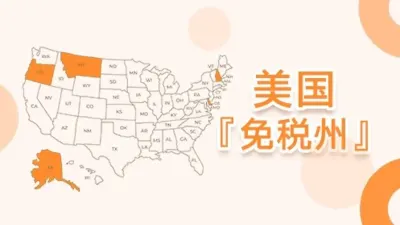
This product is a brand new US Tax-Free Zone Apple ID Exclusive Account, tailored for users who need to download overseas applications (such as ChatGPT, TikTok, Shadowrocket, overseas mobile games), manage US region App subscriptions, or make purchases using US region gift cards. The account information is registered in a US domestic tax-free state (such as Delaware, Oregon, etc.), effectively avoiding consumption tax costs when purchasing paid digital content or subscription services in the US region.
💡 Specification Selection: App Store Login Version vs iCloud Activation Version
| Account Version Type | Recommended Usage Scenario | iCloud Login Risk |
|---|---|---|
| App Store Usable Version (Recommended) | Login only in App Store, used for downloading US region free/paid apps, updating applications. | Extremely high security. It is not recommended to log into iCloud in the phone's "Settings". |
| iCloud Activated Version | Requires syncing iCloud data, backups, using "Find My iPhone" or Apple One bundle. | Requires account maintenance experience. Do not arbitrarily bind unfamiliar Find My features to prevent device lock. |
🎯 Core Advantages of an Exclusive US Apple ID
- Priority Access to Vast Overseas Resources: Unlock exclusive AI tools, productivity software, best-selling games, and digital services from the US App Store with one click.
- US Tax-Free State Configuration: Account comes with a tax-free zone billing address, eliminating additional surcharges when purchasing paid US region apps, subscribing to Apple Music, iCloud, etc.
- High Degree of Freedom and Security: One account per person, exclusive use, one password per person, complete security questions and birthday information provided. All security assets can be fully controlled by yourself after delivery.
- Perfect Support for US Region Gift Cards: Freely top up Apple Gift Card balance, easily subscribe to ChatGPT Plus, Midjourney, Netflix, etc.
📲 Correct Login Steps for US App Store
- Open the built-in App Store on your iPhone / iPad (Do not log in through the phone's system settings).
- Tap the profile icon in the top right corner, scroll to the very bottom, and tap "Sign Out" (sign out of your current domestic account).
- Enter the purchased US Apple account and password at the top, then tap Sign In.
- If an Apple ID security prompt appears, tap "Other Options" -> "Don't Upgrade" (skip the two-factor authentication binding to successfully switch regions).
- Once successfully in the US interface, you can search for and download apps. After downloading, you can switch back to your original account at any time if there are no other needs.
⚠️ Avoiding Apple Risk Control Restrictions (Usage Prohibitions)
- Avoid Frequent Changes: Do not frequently switch devices or unstable proxy network environments for login within a short period.
- Modify Information Gradually: After receiving the account, test the login first. Once confirmed correct, it is recommended to wait until the next day before going to the official website to change the password and security questions, to avoid triggering risk control due to frequent cross-location password changes.
- Prohibit Multi-User Sharing: Do not share the exclusive account with others. Cross-login by multiple people in different locations will be judged as "account anomaly" by Apple and result in a lockout.
- Use Legitimate Recharge Channels: When recharging or making in-app purchases, use legitimate Apple gift cards from official channels. Strictly prohibit the use of stolen credit cards or third-party top-up services, as this will 100% result in account suspension.
• Profile Modification & Two-Factor Authentication Binding: Apple Official Account Management
• Forgot Password / Account Unlock Channel: Apple Official Security Center
Product FAQ
How to change security questions and recovery email after purchasing a tax-free Apple ID in the US?
Is it really tax-free to purchase games through in-app purchases in the App Store using a U.S. tax-free zone Apple ID?
Q3: What is the difference between the App Store login version and the iCloud activation version? How should I choose?
Q4: What are the correct login steps for a US Apple ID? Why can't I log in directly in Settings?
Q5: How to avoid Apple account suspension or restrictions after purchase? What are the usage taboos?
Q6: How long after placing an order will it be shipped? What should I do if the account is locked or I cannot log in?
Related Products
 US Apple ID New Account with Modifiable Info | Same-Day After-Sales Support
Auto Delivery
10.00CNY
Stock: 0
Discount
US Apple ID New Account with Modifiable Info | Same-Day After-Sales Support
Auto Delivery
10.00CNY
Stock: 0
Discount
 Brazil Apple ID New Account with Modifiable Info | Same-Day After-Sales
Auto Delivery
10.00CNY
Stock: 0
Discount
Brazil Apple ID New Account with Modifiable Info | Same-Day After-Sales
Auto Delivery
10.00CNY
Stock: 0
Discount
 Turkish Apple ID New Account with Modifiable Info | Same-Day After-Sales
Auto Delivery
10.00CNY
Stock: 0
Discount
Turkish Apple ID New Account with Modifiable Info | Same-Day After-Sales
Auto Delivery
10.00CNY
Stock: 0
Discount
 German Apple ID New Account with Modifiable Info | Same-Day After-Sales Support
Auto Delivery
10.00CNY
Stock: 0
Discount
German Apple ID New Account with Modifiable Info | Same-Day After-Sales Support
Auto Delivery
10.00CNY
Stock: 0
Discount




 1
1



